

Your conversations
Finding, filing, archiving and deleting conversations in the rail.
The rail lists your conversations under Pinned, then Folders, then newest first under Today, Yesterday, Previous 7 days, Previous 30 days and then by month. Nobody else sees them; an administrator reads one only under an approved access request.
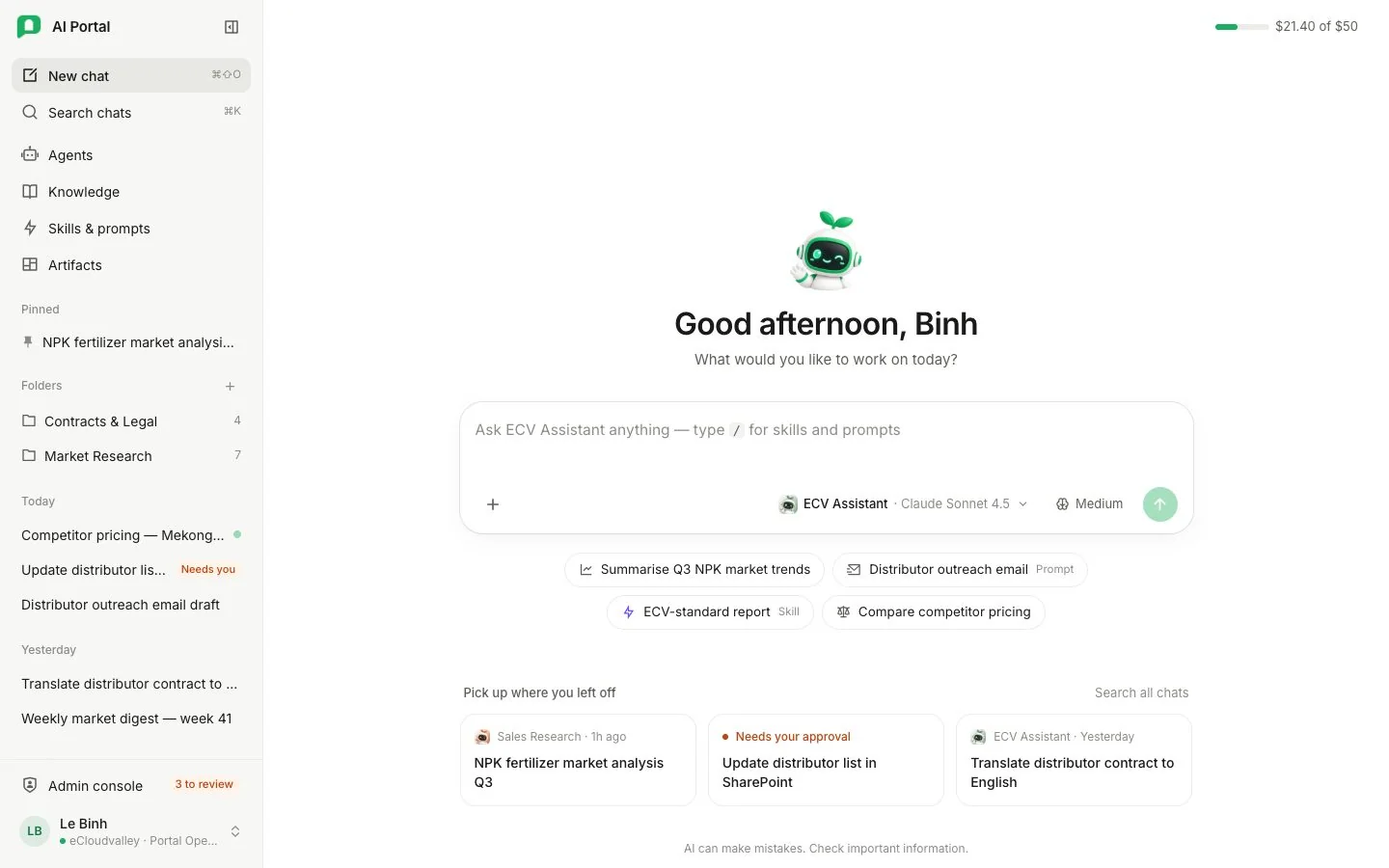
- 1 Pinned — also kept in its folder.
- 2 + creates an empty folder; each folder counts its conversations.
- 3 Dated groups — when a conversation last moved.
- 4 A dot — still responding, waiting for you, or failed.
- 5 Needs you — waiting for your answer or approval.
Reading the list
- Each row shows the agent’s picture, the title, and below it the opening of the last reply. The heading a row sits under says when it last moved; hover the row for its full title and the exact time.
- While the agent is still working, the picture carries a small spinner and the row reads Responding….
- An orange dot means it is waiting for your answer or approval, and a red dot means the last reply failed.
Search
Search chats, or ⌘K (Ctrl K), finds conversations by a word in the title or in anything either of you wrote, archived ones included. Esc clears it.
Archived and Recently deleted open their own lists from the search box. Archived lists your archived conversations with Unarchive beside each. Recently deleted lists deleted ones with Restore; a restored conversation comes back whole. Deleted conversations aren’t searched — restore one from that list.
Filing a conversation
Hovering a conversation shows Pin and More. On a phone or tablet they are always there.
| Action | Does |
|---|---|
| Pin | Puts it under Pinned at the top of the list, and keeps it in its folder too. Unpin takes it out. |
| Rename | Renames it. |
| Move to folder | Lists your folders, Remove from folder, and New folder…, which creates a folder and moves it there. |
| Archive | Takes it off the rail. It stays in your account, its link still opens it, and Undo in the message that appears brings it straight back. |
| Export as Markdown | Downloads the whole conversation as a Markdown file named after it. |
| Delete | Moves it to Recently deleted. Undo in the message that appears brings it back. |
- Deleting or archiving the conversation you have open takes you to a new chat.
- Dragging a conversation onto a folder files it; dragging it onto the dated list takes it out of its folder.
- + beside Folders creates an empty folder, and each folder shows how many conversations it holds.
- A folder’s own menu holds Rename and Delete folder. Deleting a folder asks first, keeps its conversations and moves them back into the dated list.
A reply that ends without an answer
A reply that stops early ends on a card saying why and what to do. The card stays beside its turn, so scrolling back to an older exchange still shows why it ended. Every card and its fix is listed in Troubleshooting.