

Budgets & limits
The organisation's budget, quota, rate limits and alert thresholds, a department's own, and one person's own.
Budgets are enforced at the model gateway: a request that would exceed a department’s budget, or one person’s share of it, never reaches a model.
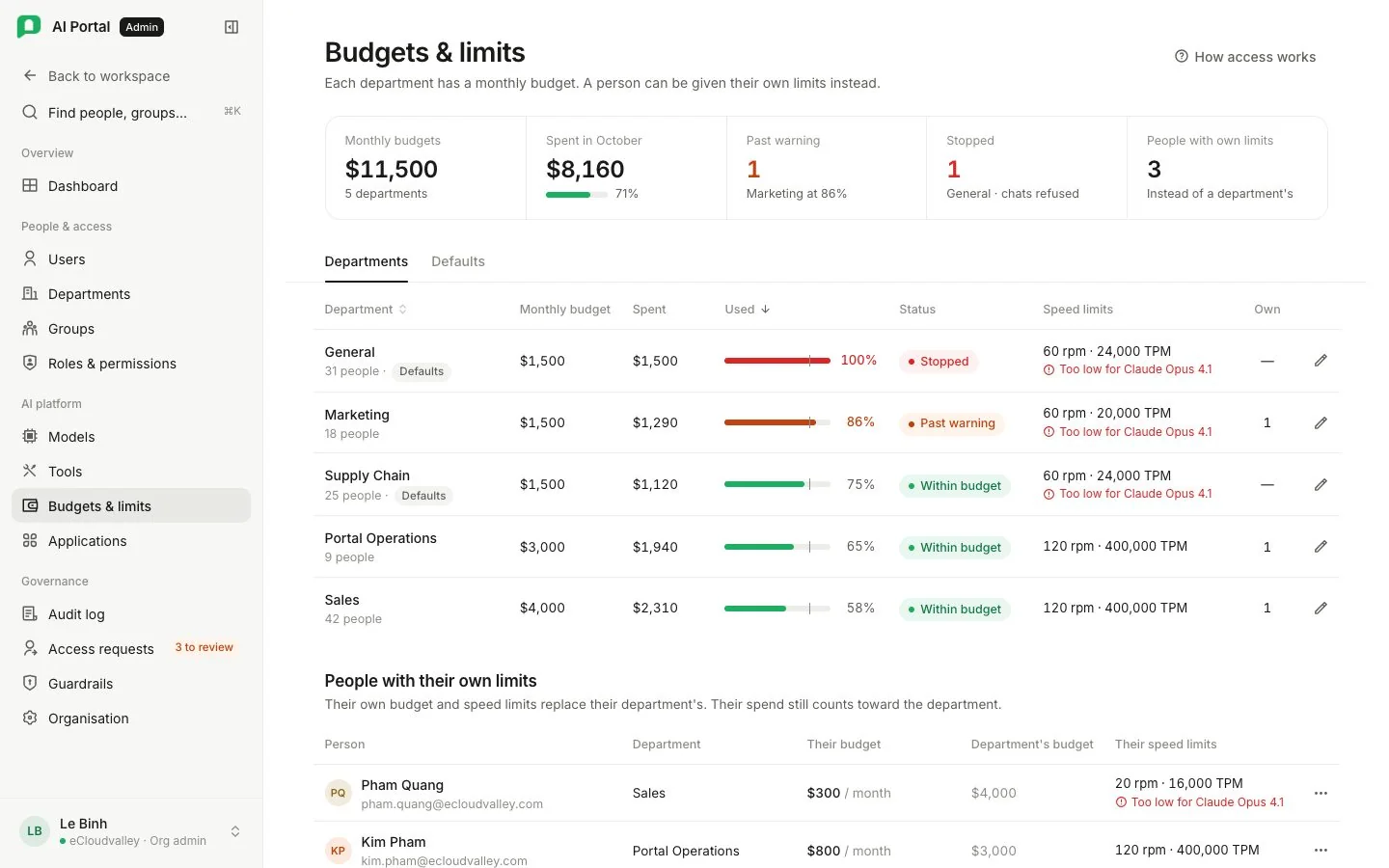
Tiles show the organisation’s budget (the sum of every department’s), what has been spent, the department count, and how many departments are past their soft alert. Spend trend charts the last 14 days.
Tran Mai has a limit of her own, so it wins — all of its numbers, even though it's far above the department's. Her spend is still billed to Sales, and the models Sales blocks stay blocked for her.
The person with their own limit still counts in the headcount, but spends from their own record — so they take nothing from the shared pool, and nobody else's share moves when the limit is granted.
A budget alert is raised. Nothing is refused — people keep working.
New model calls are refused until the budget resets next month. A reply already running ends at its next call.
Thresholds
| Threshold | Effect |
|---|---|
| Soft alert (default 80 %) | The department is named on the dashboard, and so is anybody past 80 % of their own share, once per month per threshold crossed |
| Hard stop (default 100 %) | The gateway declines that department’s requests until the month resets or somebody raises the budget |
Each person’s share
A department’s budget is divided equally between the people it bills, and each is stopped at their share as well as at the department’s total. The share is shown under the budget on the department’s screen, with the headcount it divides by, and moves on its own as people join and leave. Somebody who needs more is given limits of their own, which replace the share.
A person may also select Ask for a higher budget from Settings › Usage & budget; it is decided on Access requests.
Three levels, most specific wins
- Organisation limits at the bottom of this screen hold the six values: Monthly budget, Token quota, Requests per minute, Tokens per minute, Soft alert and Hard stop. They reach every department that names none of its own.
- A department may set its own on its Budget & limits tab.
- One person may be given theirs on their profile in Users.
A request is held to the most specific level that exists, higher or lower: a department set above the organisation gets the higher figure, and so does a person set above their department.
See Budgets and policy.