

Quick start
Your first answer in 5 minutes — sign in, pick an agent, ask a question and check where the answer came from.
There’s nothing to install — your administrator has already set the portal up.
Before you start
- A work account your organisation added to the portal.
- The portal’s web address — your administrator or IT team can send it.
- A desktop browser: Chrome, Edge, Safari or Firefox.
-
Sign in with your company account
Open the portal and choose Sign in with Microsoft (or Sign in with Okta). Sign in on your company’s page as usual, and you’re back in the portal — it never sees your password.
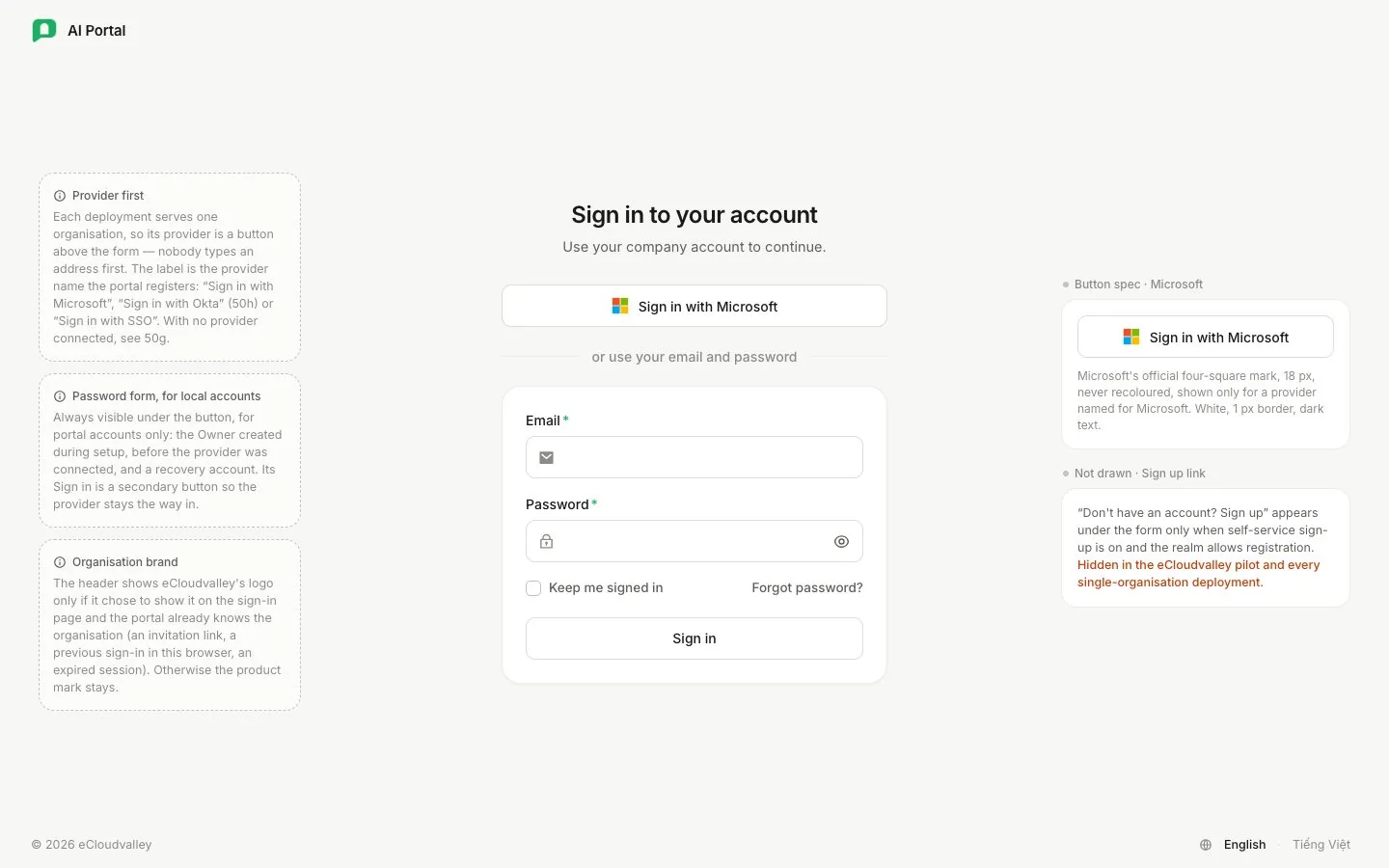
- 1 Sign in with Microsoft — takes you to your company’s sign-in page.
- 2 Email and password — only for accounts the portal holds itself.
-
Pick an agent
The message box shows who will answer. ECV Assistant is a good place to start. Each agent brings its own model and thinking effort, so you can leave those as they are.
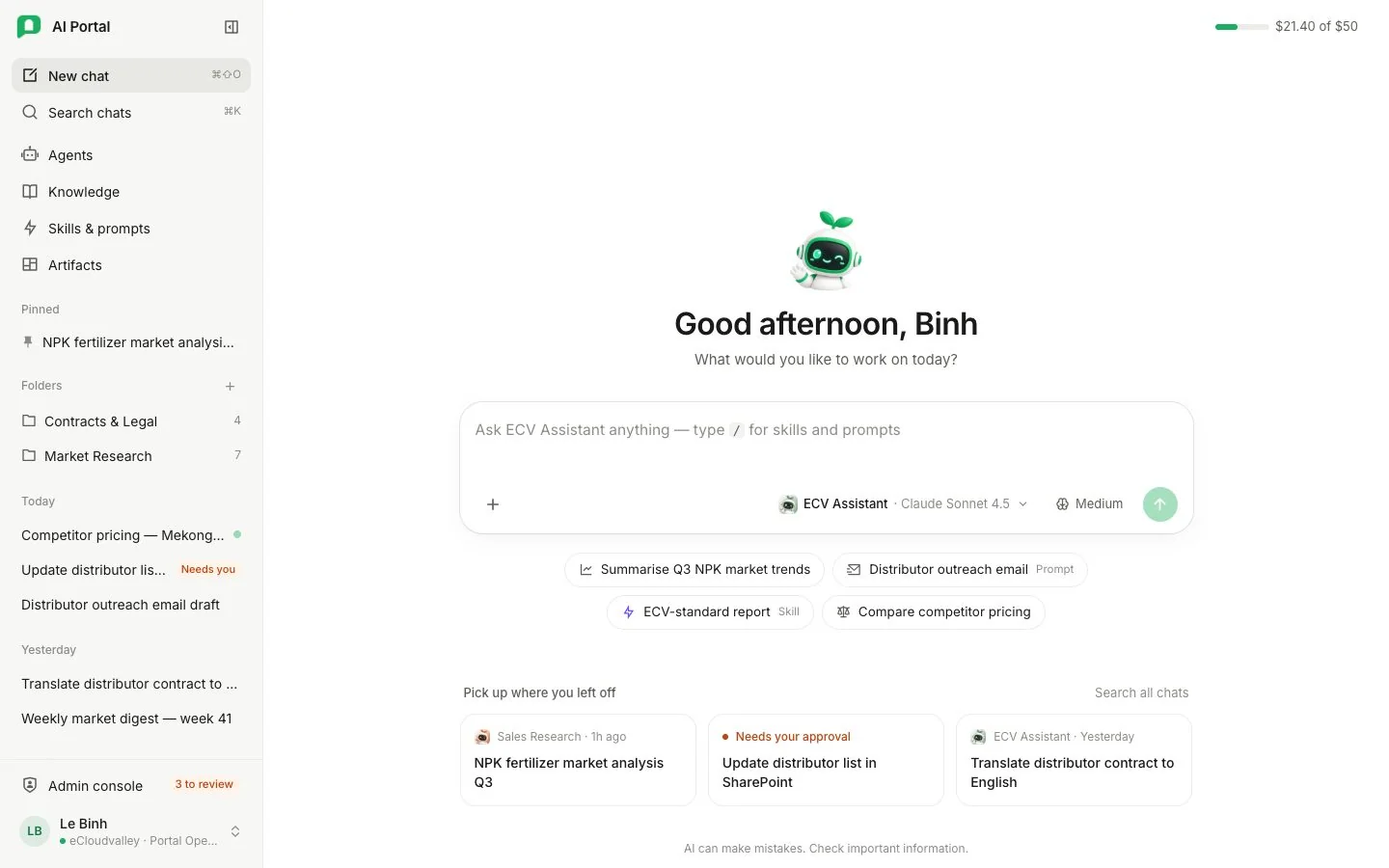
- 1 Agent — its instructions, knowledge and tools.
- 2 Model — the AI model that writes the answer.
- 3 Thinking effort — how much the model thinks first.
-
Ask your question
Write the way you’d ask a colleague, then press Enter. Add context the agent can’t guess — who it’s for, how long, which format.
-
Read the answer
While it works, the agent shows short progress notes. When it’s done, everything it did folds into one line above the answer.
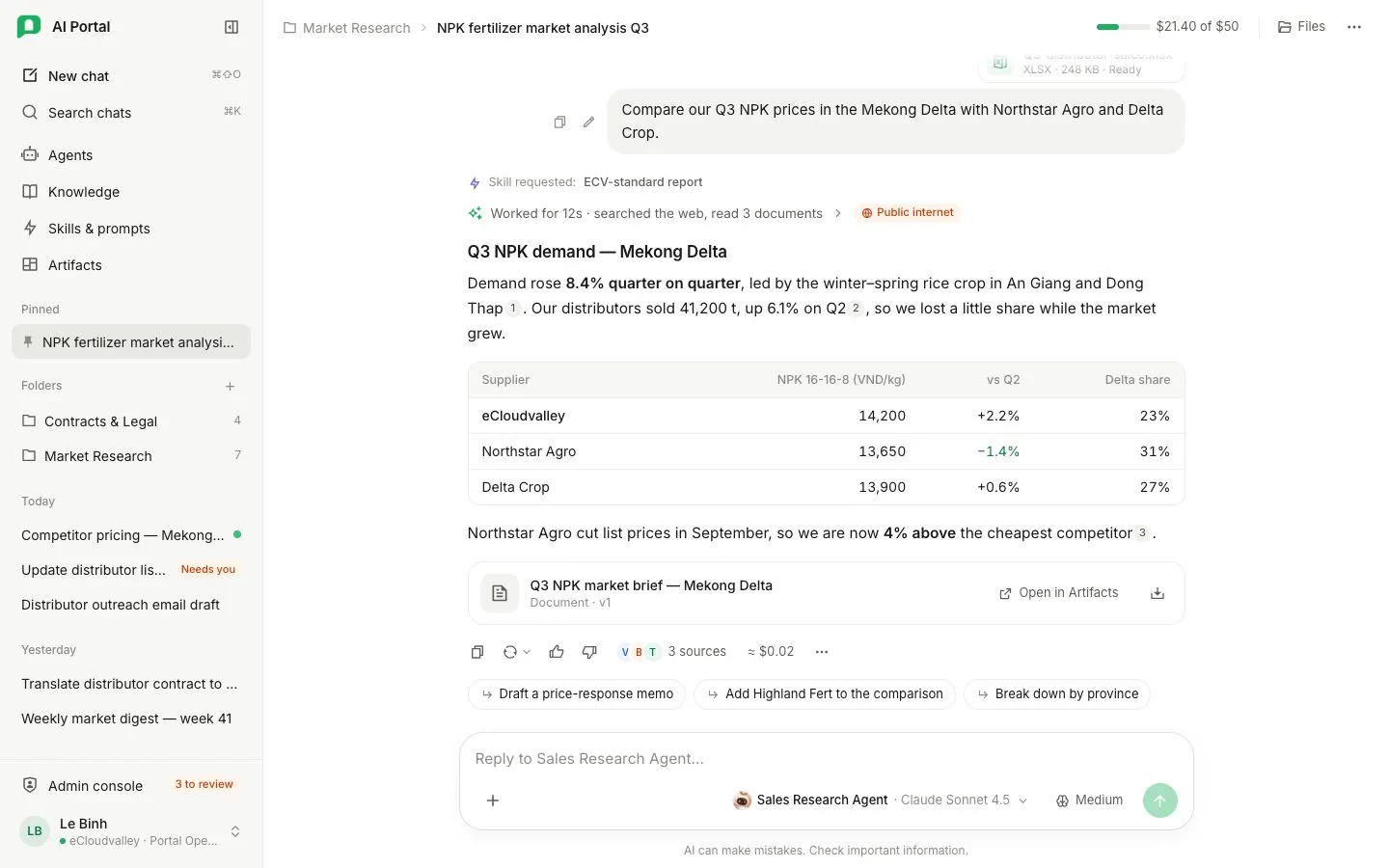
- 1 Worked for… — open it to see each step the agent took.
- 2 Where it looked — here, the public internet.
- 3 Sources — numbered citations you can open.
- 4 Cost — what this answer cost your department.
-
Check a source, then follow up
Select a number like 1 to read the exact passage the agent used. Not quite right? Just reply — the agent keeps the whole conversation in mind.
You’ve got your first answer
That’s the whole loop: ask, watch, check, follow up. Here’s where to go next.